


At DYW, we design and install residential UniFi networks throughout Niagara, Hamilton, Burlington and surrounding areas. We help homeowners determine what equipment they need, install the required network cabling, and bring everything together into a clean, professionally installed system.
Our goal is to provide as much of a white-glove UniFi installation experience as possible. You don't need to know which gateway, switch or access point you need before contacting us—we can help design the system around your home.
UniFi is a networking ecosystem from Ubiquiti that can bring your home network, Wi-Fi and security cameras together under one platform.
A residential UniFi system can include:
One of the advantages of UniFi is its flexibility. A system can range from a simple wired home network with a few access points for Wi-Fi to a complete installation incorporating Wi-Fi, cameras, home sensors, hard drops and backup power.
We start by understanding what you want your network to do, rather than simply selecting equipment.
We look at Wi-Fi coverage, wired devices, security cameras, doorbells and any areas such as basements, garages or backyards that need connectivity.
From there, we can determine the appropriate gateway, switching, access points, cabling and other equipment.
Here are two examples of how different those systems can look.
For a recent residential installation in Niagara, our client wanted reliable Wi-Fi along with wired connections in several important areas of the home.
We came on site to discuss options and came up with the following plan + equipment:
We hardwired locations such as the living-room media cabinet, gaming consoles and home offices, while two U6 Pro access points provided Wi-Fi coverage throughout the home.
Everything returned to a compact 4U rack containing the network equipment and patch panel.
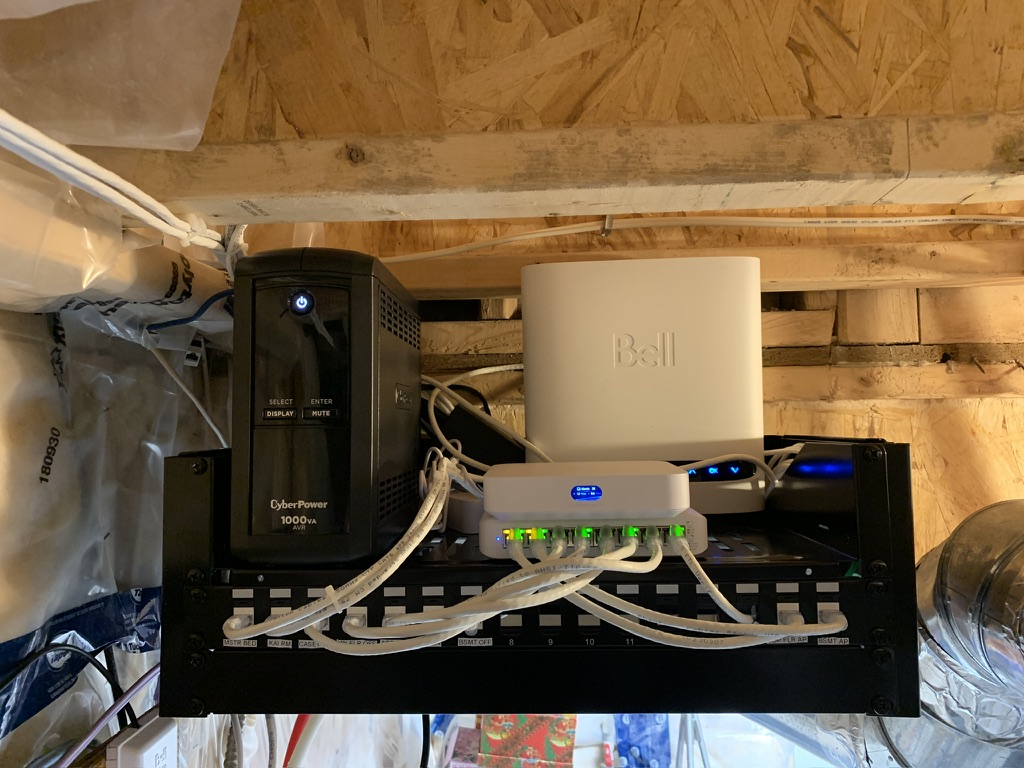
This system is a good example of why a professional UniFi installation doesn't need to be large or overly complicated. We sized the equipment around what the homeowner actually needed while providing proper structured cabling and room for future expansion.
For a recent larger installation we completed in Burlington, we designed the network for a detached, two-storey home with a finished basement.
In addition to whole-home networking and Wi-Fi, this client wanted UniFi Protect security cameras and a video doorbell.
Again, we came out on site to determine what fits the home/ homeowners needs. We came up with the plan of:
For a system of this size, we installed a 12U wall-mounted network rack to provide a central location for the home's networking equipment.
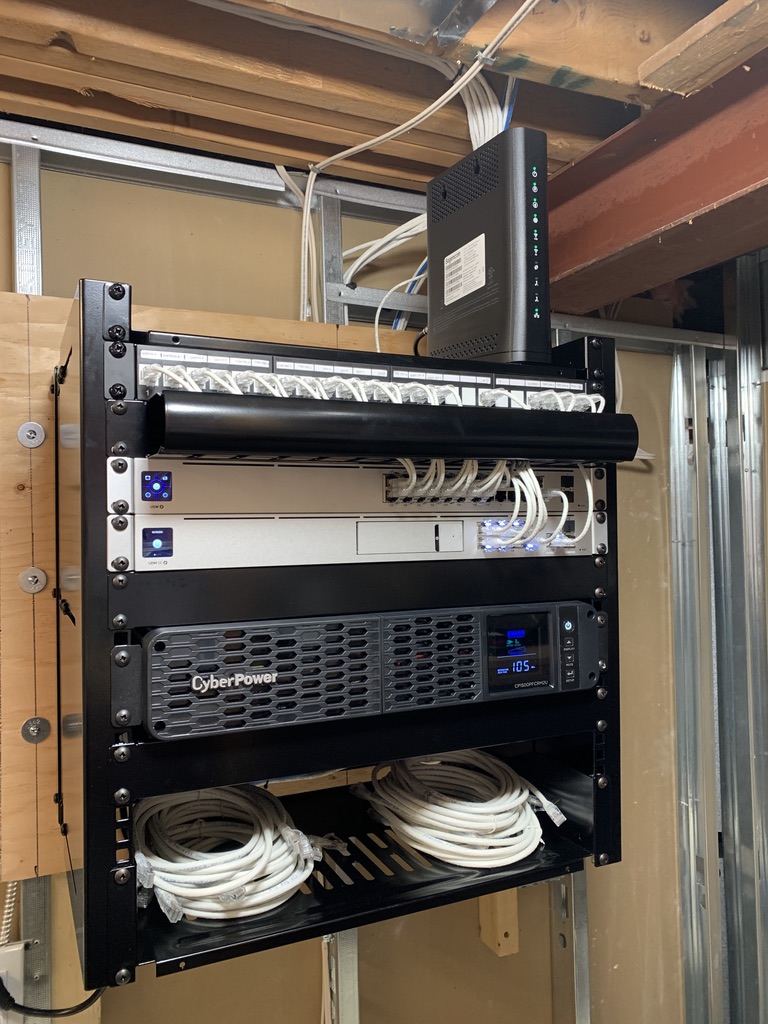
The rack houses the gateway, 24-port PoE switch, patch panel, cable management and UPS. Network cabling from throughout the home returns to the patch panel, keeping the installation organized and making future maintenance and expansion easier.
We also installed a rack-mounted UPS providing approximately 1.25 hours of backup runtime under the expected load. During shorter power outages, the UPS can keep the network and connected PoE equipment operating. This means if the power goes out, you still have cameras and Wi-Fi.
These two installations demonstrate how differently we can approach a residential UniFi project.
The smaller system used a Cloud Gateway Ultra, Lite 8 PoE switch, two U6 Pro access points and a compact 4U rack.
The larger Burlington installation incorporated a Dream Machine, 24-port PoE switch, two U6 Pro access points, Protect cameras, doorbell, 12U rack and UPS backup.
Both are professionally installed UniFi networks. The equipment simply reflects the requirements of each home and homeowner.
Our goal isn't to install as much equipment as possible, it's to design the right network for the property.
There isn't a universal answer.
The size of the home matters, but so do the number of floors, building materials, Wi-Fi use cases, number of devices in the home and also outdoor coverage requirements.
More access points don't automatically mean better Wi-Fi. Correct placement is just as important as the number of access points installed.
We take these factors into consideration when designing the system and determining where access points should be installed.
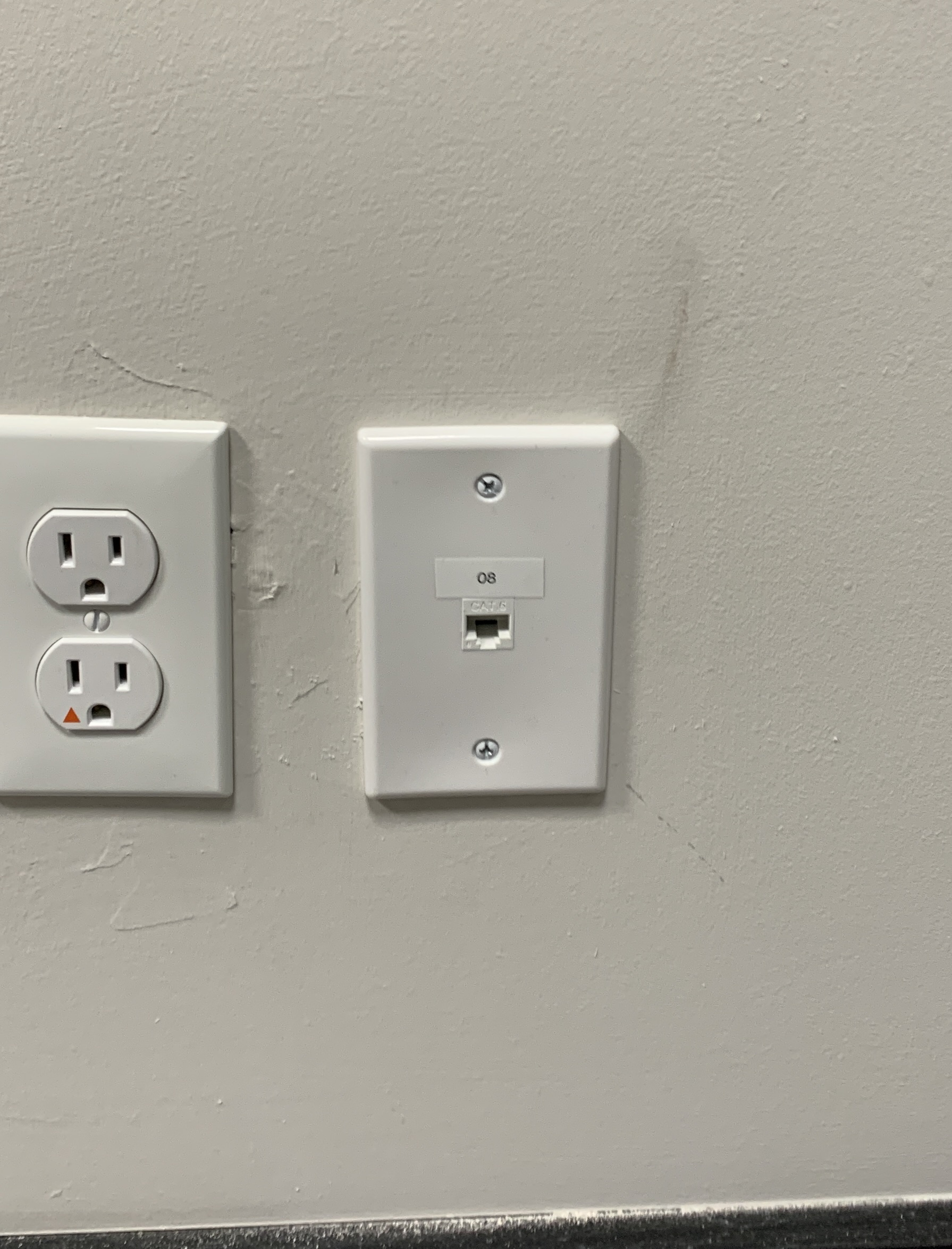
Even in a home with excellent Wi-Fi, most devices benefit from a hard wired ethernet connection.
When designing a residential network, we often consider wired connections for:
For example, in our smaller installation above, we provided both whole-home Wi-Fi and dedicated ethernet connections for the client's home offices, living-room media equipment and gaming consoles.
A good residential network uses wired Ethernet and Wi-Fi together, depending on the device and location.
A network rack provides a central, organized location for your home's network infrastructure.
It doesn't necessarily need to be large. Our smaller example used a 4U rack, while the larger installation required a 12U rack.
A network rack allows up to keep the entire system clean and serviceable. It typically contains the gateway, network switch, patch panel, storage, UPS and cable management.
It gives the permanent CAT6 cabling throughout the home a proper termination point and makes future troubleshooting or expansion easier.
Yes.
Although new construction gives us the greatest flexibility, UniFi and partnered network cabling can be installed in finished homes.
Depending on the construction, we can often route cabling through unfinished basements, drop ceilings, crawl spaces, attics and accessible wall cavities.
Every home is different, so we prefer to assess the property before determining cable routes and equipment locations. Our goal is always to create the cleanest installation possible while minimizing disruption to finished areas. All UniFi and network cabling projects come with a free on site consultation to determine placement and wire routing.
No. That's part of our job.
Tell us what you're trying to accomplish. We can assess the property, explain the available options and recommend equipment appropriate for your home.
Maybe you already know what you want in your home, you just need someone to wire it all in and install it? We are happy to help!
If you do not know what you need, kind of know what you need, or know exactly what you need, we are here to help.
Display Your Way provides residential UniFi network design and installation throughout Niagara Region, Hamilton and Burlington.
We can help with UniFi system design, equipment selection, CAT6 network cabling, Wi-Fi access points, UniFi Protect cameras, doorbells, network racks, patch panels, PoE switching and UPS backup power.
Whether you need a small network with a few access points or a larger installation incorporating Wi-Fi, cameras and a dedicated network rack, we'll help design the system around your home.
Display Your Way offers free on-site consultations throughout Niagara Region, Hamilton and Burlington.
We'll look at your home, discuss what you're trying to accomplish and help determine the appropriate network design and UniFi equipment for your project.
Contact Display Your Way today and get wired up.
St. Catharines | Niagara Falls | Hamilton | Burlington | Lincoln | Niagara-on-the-Lake | Grimsby | Thorold | Welland | Pelham


Reliable installs. Backed by warranty